Supporting material showcased in isolation — figures, tables, diagrams, and framed boxes.
<caption>category frameables · eHTML <caption> · JATS <caption> · content structured → <children>
No kwargs or boolean flags.
Produced by: canonical <caption>.
<diagram>category frameables · eHTML <diagram> · JATS <(no direct JATS counterpart; exported as <fig specific-use="enscribe-dsl-<engine>"> with the verbatim source in <preformat preformat-type="<engine>-source">)> · content empty → <children>
| attribute | kind | values / default | notes |
|---|---|---|---|
engine |
format-word | mermaid abc |
The diagram engine — the language that renders the body. |
caption |
kwarg | Optional caption text. | |
src |
kwarg | An @id reference (#313 consumer wiring) that pulls a stored <dataset> declared in <data> and feeds its opaque bytes as the diagram’s engine source — e.g. |
Produced by: canonical <diagram>.
<diagram mermaid>
graph LR
  A[Start] --> B{Decision}
  B -->|yes| C[OK]
  B -->|no| D[Stop]
</diagram>
graph LR
  A[Start] --> B{Decision}
  B -->|yes| C[OK]
  B -->|no| D[Stop]
The mermaid format word selects the Mermaid engine. The handler
emits the same <pre class="mermaid" data-enscribe-dsl="mermaid">
contract as the legacy <mermaid> shorthand expands to.
<diagram abc>
X:1
T:Scale
K:C
CDEFGABc
</diagram>
X:1
T:Scale
K:C
CDEFGABc
The abc format word selects the abcjs engine.
<fig>category frameables · eHTML <fig> · JATS <fig> · content structured → <figcaption>
| attribute | kind | values / default | notes |
|---|---|---|---|
src |
kwarg | URL of an image to embed. | |
alt |
kwarg | Alt text for the generated <img> when src is present. | |
align |
kwarg | left right center full-width |
How the figure is positioned in the document flow. |
width |
kwarg | Suggested rendered width. | |
type |
kwarg | image table code equation diagram multi-part other |
Optional classification of the figure’s content. |
caption |
kwarg | Optional caption text. | |
+numbered / -numbered |
flag | default on | Whether this figure participates in the document-wide figure sequence. |
+border / -border |
flag | default off | The frameable surface. |
Produced by: canonical <fig>.
<fig src=elephant.jpg | An adult African elephant.>
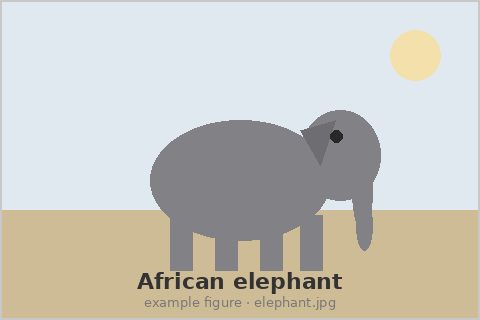
An adult African elephant.
The simplest case. The src kwarg generates the <img>; the pipe content generates the figcaption. The alt text defaults to the figcaption text when not specified explicitly. The eHTML element is HTML-native <figure> (not the custom-element <fig>) because the HTML rendering surface is the HTML5 native element while the enscribe canonical name follows JATS’s shorter <fig>.
<figure src=elephant.jpg | An adult African elephant.>
An adult African elephant.
<figure> is the authoring alias. The normalize-to-canonical gate rewrites the
tagname to fig early; the rendered output is the same.
<fig #elephant src=elephant.jpg align=right alt="A photograph of an elephant" | An adult African elephant photographed in Tanzania.>
An adult African elephant photographed in Tanzania.
The id enables cross-referencing with <ref @elephant> (or the
canonical <ref @fig:elephant> colon-prefix form). Numbered by
default; the figcaption gets a “Figure N.” label span prepended.
<fig #revenue-table type=table |
<table>
  <tr><th>Quarter</th><th>Revenue</th></tr>
  <tr><td>Q1</td><td>$100M</td></tr>
  <tr><td>Q2</td><td>$120M</td></tr>
</table>
Quarterly revenue for fiscal year 2024.
>
| Quarter | Revenue |
|---|---|
| Q1 | $100M |
| Q2 | $120M |
Quarterly revenue for fiscal year 2024.
A figure without src. The content (a table) is preserved as-is; the trailing line becomes the figcaption. Author convention is to put the caption text on its own line at the end of the content.
<frame>category frameables · eHTML <frame> · JATS <boxed-text> · content structured → <children>
| attribute | kind | values / default | notes |
|---|---|---|---|
title |
kwarg | Optional title rendered at the top of the frame (the frameable title-top convention), as a title= kwarg or a <title> child tag. | |
caption |
kwarg | Optional caption text rendered at the bottom of the frame (the frameable caption-bottom convention). | |
type |
kwarg | Optional classification of what the frame contains (note, warning, tip, theorem-block, etc.), preserved as the data-frame-type attribute. | |
+numbered / -numbered |
flag | default on | Whether this frame participates in the document-wide figure sequence. |
+border / -border |
flag | default on | The frameable surface. |
Produced by: canonical <frame>.
<frame | A short callout.>
A short callout.
The simplest case. The handler emits a <figure> wrapper (the vocab
html_output.element frame is only the lookup key for handler-strategy
entries — the handler controls the actual element). +border is default on
for <frame>, so the class appears automatically.
<frame type=note title="Important" |
Make sure to read this carefully.
>
Make sure to read this carefully.
With a title rendered at the top.
<frame #fig:method-box caption="Workflow steps" |
1. Collect data.
2. Clean.
3. Model.
>
- Collect data.
- Clean.
- Model.
Workflow steps
Numbered by default (#272). Shares the figure counter with <fig>/<svg>/<mermaid>/<abc>; use -numbered for a frame that is not numbered.
<minipage>category frameables · eHTML <minipage> · JATS <boxed-text> · content empty → <sealed-subdocument>
| attribute | kind | values / default | notes |
|---|---|---|---|
title |
kwarg | Optional title rendered at the top of the minipage (the frameable title-top convention). | |
caption |
kwarg | Optional caption rendered at the bottom of the minipage (the frameable caption-bottom convention), with the “Minipage N.” label folded in when numbered. | |
+numbered / -numbered |
flag | default on | Whether this minipage is numbered. |
+border / -border |
flag | default on | The frameable surface. |
Produced by: canonical <minipage>.
<minipage | Two panels side by side.>
Two panels side by side.
The simplest case. The handler emits a <figure> wrapper (the vocab
html_output.element minipage is only the lookup key for handler-strategy
entries — the handler controls the actual element). +border is default on
for <minipage>, so the class appears automatically. The body renders as
sealed eHTML.
<minipage #mp:compare caption="Side-by-side comparison" |
A figure here counts privately.

<fig #fig:left src="left.png" | Left panel.>
<fig #fig:right src="right.png" | Right panel.>
>
A figure here counts privately.

Left panel.

Right panel.
Numbered by default (#272). It counts in its own
“Minipage N” series — <ref @mp:compare> resolves to “minipage 1”. The two
inner figures number 1 and 2 in the minipage’s PRIVATE figure counter, NOT
the document’s: a document <fig> elsewhere is unaffected, and an outside
<ref @fig:left> is a normal not-found ref-error (the seal forbids inbound
references to the body).
<svg>category frameables · eHTML <svg> · JATS <graphic> · content empty → <raw-svg-source>
| attribute | kind | values / default | notes |
|---|---|---|---|
width |
kwarg | SVG width attribute. | |
height |
kwarg | SVG height attribute. | |
viewBox |
kwarg | SVG viewBox attribute. | |
caption |
kwarg | Optional caption text rendered in a sibling <figcaption>. | |
+numbered / -numbered |
flag | default on | Whether this SVG participates in the document-wide figure sequence (shares the figure counter with <fig>, <mermaid>, <abc>). |
+border / -border |
flag | default off | The frameable surface. |
Produced by: canonical <svg>.
<svg -numbered viewBox="0 0 100 100" width=200 height=200 |
  <circle cx="50" cy="50" r="40" fill="blue" />
>
A lone inline SVG. <svg> is numbered by default (it shares the
figure counter), so -numbered is what opts out of framing for a
purely inline graphic. The source is opaque pipe content; the
attributes pass through to the rendered <svg> element.
<svg #fig:diagram viewBox="0 0 100 100" caption="A simple circle" |
  <circle cx="50" cy="50" r="40" />
>
Captioned and numbered → framed by the ordinary frameable rule: the
handler wraps the <svg> in a <figure> with the <figcaption> as a
sibling inside the wrapper (figcaption is not a valid child of <svg>).
Shares the figure counter with <fig>; <ref @fig:diagram> resolves
to “Figure N”.
<table>category frameables · eHTML <table> · JATS <table-wrap> · content empty → <children>
| attribute | kind | values / default | notes |
|---|---|---|---|
format |
format-word | csv tsv json yaml md |
Format of inline pipe content. |
parse-columns |
kwarg | #21: | |
caption |
kwarg | Short-form caption as a kwarg string. | |
src |
kwarg | Where the table’s data comes from. | |
type |
kwarg | data layout comparison schedule results other |
Optional semantic classification. |
+headers / -headers |
flag | default on | Whether the first row of the data is a header row. |
+numbered / -numbered |
flag | default on | Whether this table is counted in the numbered table sequence and receives a “Table N.” label prefix in its caption. |
+parse-text / -parse-text |
flag | default off | #21: |
Produced by: canonical <table>.
| Name | Price |
|------|-------|
| foo  | 1     |
| bar  | 2     |
| Name | Price |
|---|---|
| foo | 1 |
| bar | 2 |
Plain markdown table syntax (via remark-gfm). The most common authoring path for simple tables. No explicit enscribe tags needed.
<csv | name,price
foo,1
bar,2
>
| name | price |
|---|---|
| foo | 1 |
| bar | 2 |
The <csv> shorthand lowers to <table csv> (the standalone <csv> /
<tsv> tags were retired to these gate shorthands) and renders today —
the table above is its output, parsed from the CSV source by the table
handler’s csv engine. <csv | ... > and the qualifying form
<table csv | ... > converge to the same parsed table; only the authoring
shorthand differs. JSON data uses the qualifying <table json | ... > form
— there is no standalone <json> shorthand. See the <csv> vocabulary
entry for engine attributes (header control, alignment, etc.).
<table #revenue type=results>
  <caption | Quarterly revenue>
  <tr><th>Quarter</th><th>Revenue</th></tr>
  <tr><td>Q1</td><td>$100M</td></tr>
  <tr><td>Q2</td><td>$120M</td></tr>
</table>
| Quarter | Revenue |
|---|---|
| Q1 | $100M |
| Q2 | $120M |
Explicit table with cells, used when fine control over structure or attributes is needed.